ARCHIVE // SECTION INDEX
Nockbone Guides: Download, Controls, Medical & Multiplayer
Step-by-step Nockbone guides for V1.0.3.6a covering PC, Mac, and Android installs, PC keybinds, Pip medical triage, and 8-player multiplayer.
All entries
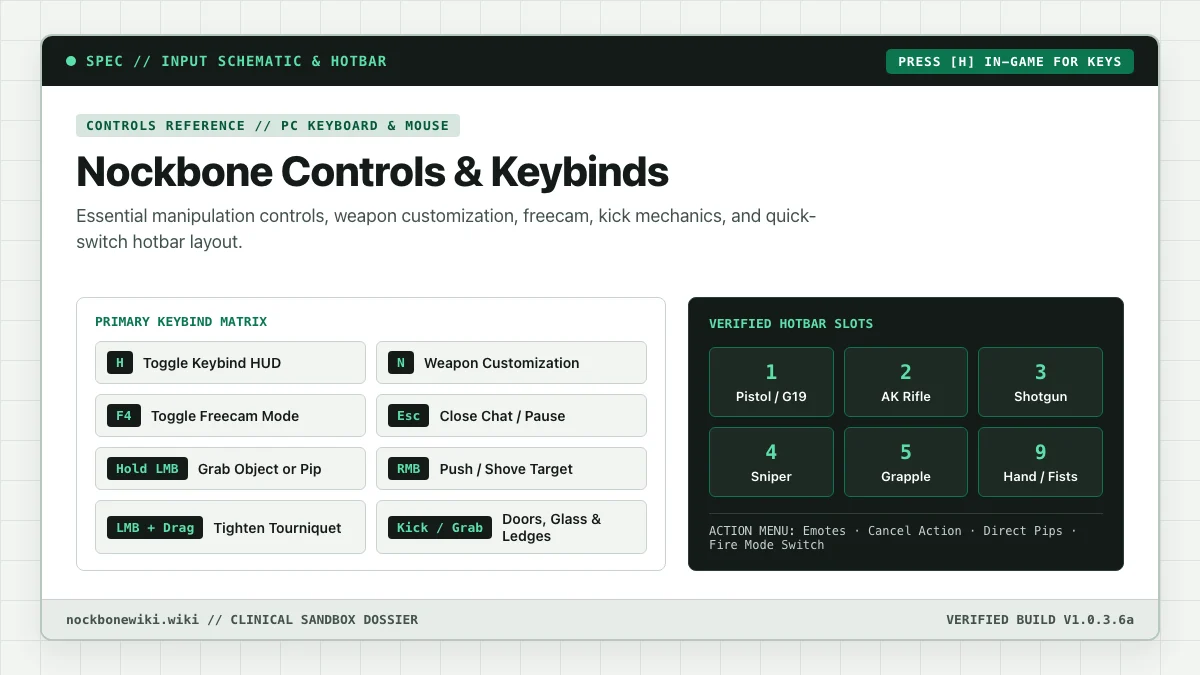
Nockbone Controls & Keybinds Guide: PC Hotbar & Combat
Verified Nockbone controls for V1.0.3.6a: H keybinds, N weapon customization, F4 freecam, hotbar, kicking, and grabs.
Read more →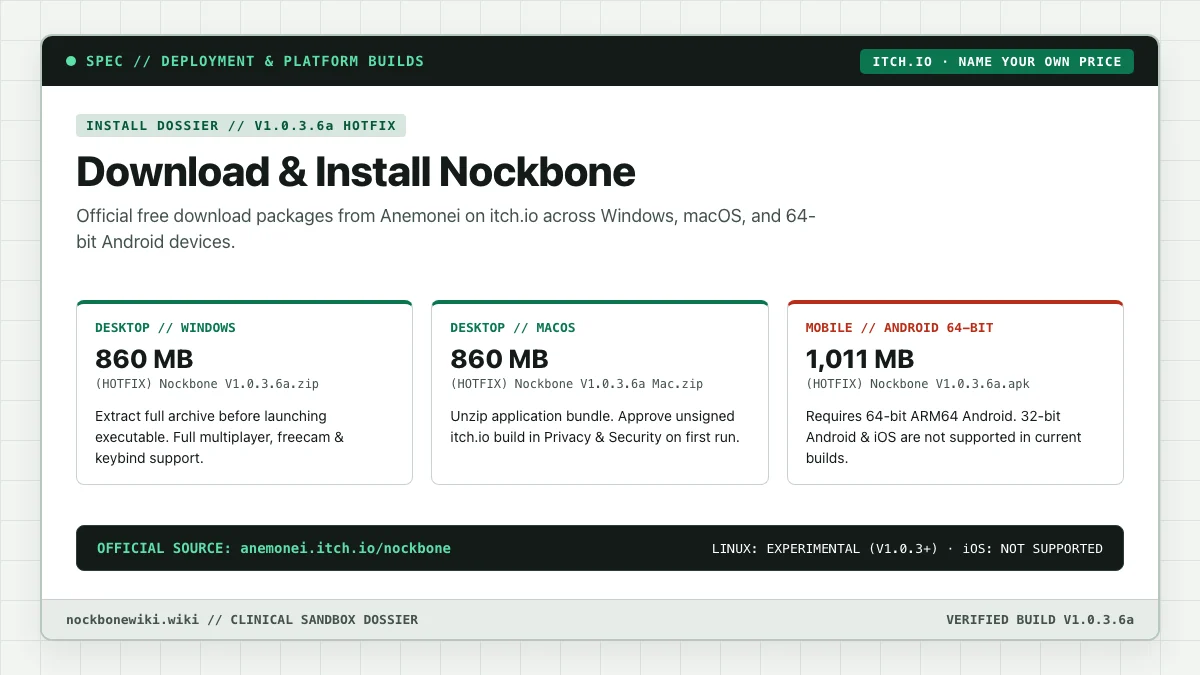
Nockbone Download Guide: PC, Mac & Android APK V1.0.3.6a
Official Nockbone V1.0.3.6a downloads for Windows, macOS, and 64-bit Android APK, plus Honor Pip and liquid FPS fixes.
Read more →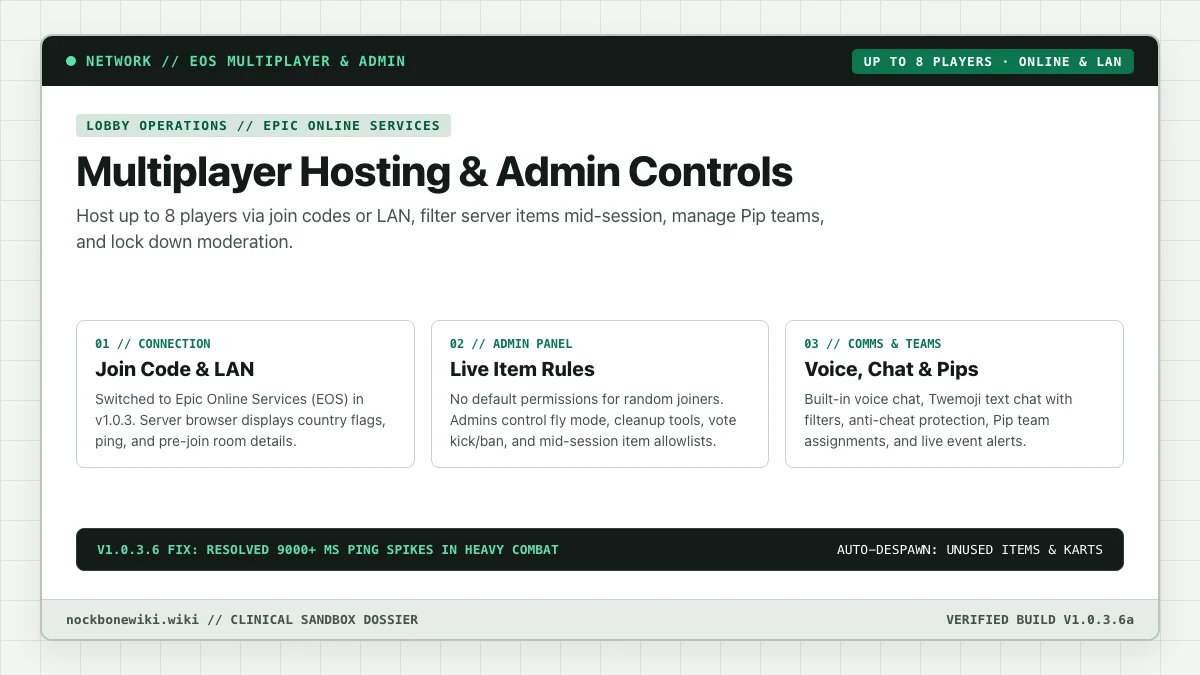
Nockbone Multiplayer Guide: LAN, Join Codes & Admin Tools
Host 8-player Nockbone multiplayer via EOS join codes or LAN with anti-cheat, Pip teams, item bans, and ping fixes.
Read more →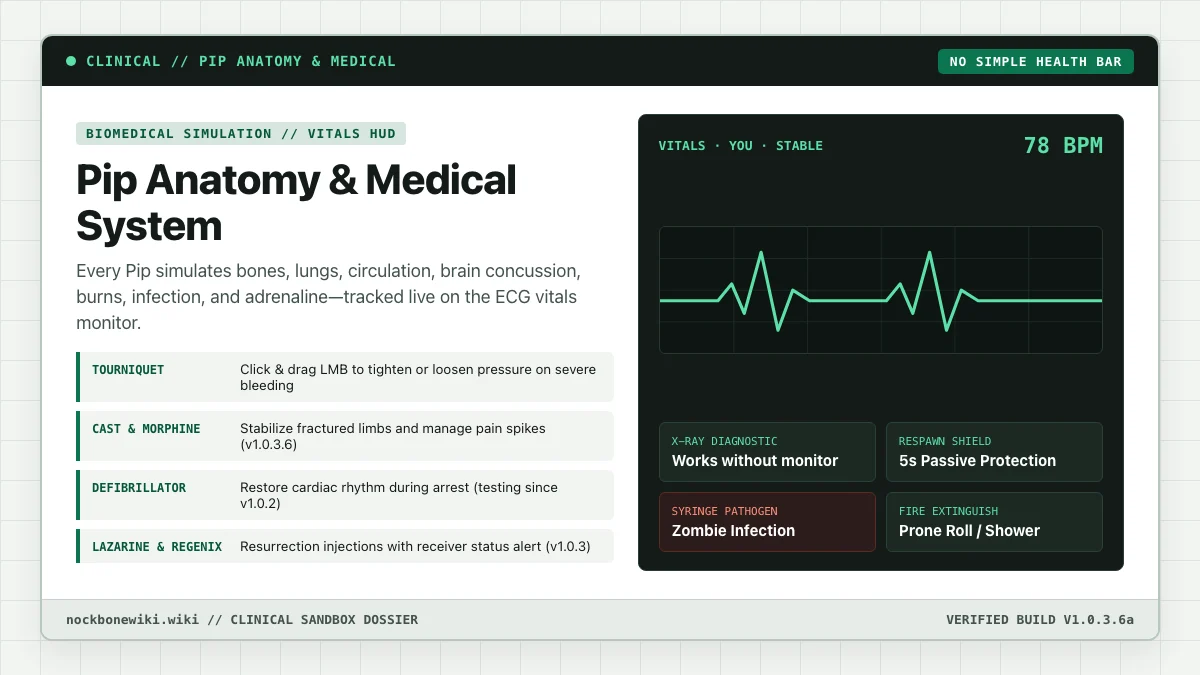
Nockbone Pip Anatomy & Medical Guide: Vitals, Casts & Meds
How Nockbone simulates Pip bones, blood, lungs, ECG vitals, X-ray, tourniquets, casts, morphine, Lazarine, and zombies.
Read more →Practical Guides for Nockbone V1.0.3.6a
The Guides section gathers verified, hands-on walkthroughs for installing, controlling, surviving, and hosting Nockbone across desktop and mobile. Because Nockbone is an early-development Unity physics sandbox updated every few days on itch.io, mechanics like keybinds, medical tools, networking backends, and mobile compatibility evolve quickly. Every guide below is checked directly against V1.0.3.6a (HOTFIX) and official devlogs from Anemonei.
Getting Started & Technical Setup
If you are downloading Nockbone for the first time or helping a friend troubleshoot an Android install, begin with the Download Guide for PC, Mac & Android. It lists the official V1.0.3.6a archive sizes (860 MB on Windows and macOS, 1,011 MB for the 64-bit Android APK), explains why iOS and 32-bit Android devices are unsupported, and documents known fixes for invisible shadow-only Pips on Honor phones and close-up liquid frame drops.
Once you load into a map, open the Controls, Keybinds & Survival Tips Guide. It breaks down verified PC inputs—from pressing H for the keybind reference, N for weapon customization, and F4 for freecam to grabbing with Hold LMB, pushing with RMB, switching hotbar slots 1–5 and 9, kicking doors and shattering glass, and grabbing ledges in any direction during a fall.
Mastering Simulation Depth & Online Lobbies
Nockbone replaces conventional health bars with a full internal body simulation. Our Pip Anatomy & Medical Guide explains how broken or crushed bones, bleeding, clothing blood soaking, oxygen loss, brain concussions, and adrenaline rush interact—and how to deploy tourniquets, morphine, casts, defibrillators, Lazarine, Regenix, and zombie infection syringes alongside the vitals ECG HUD and monitor-free X-ray.
Playing with friends? Use the Multiplayer, LAN & Admin Guide to configure up to 8-player rooms via Epic Online Services (EOS) join codes or LAN, navigate server flags and ping displays, use Twemoji text chat and voice chat, organize Pip teams, and apply mid-session item restrictions from the admin panel.
Looking for item catalogs, maps, or update history instead? Switch over to the Nockbone Database for complete reference tables.