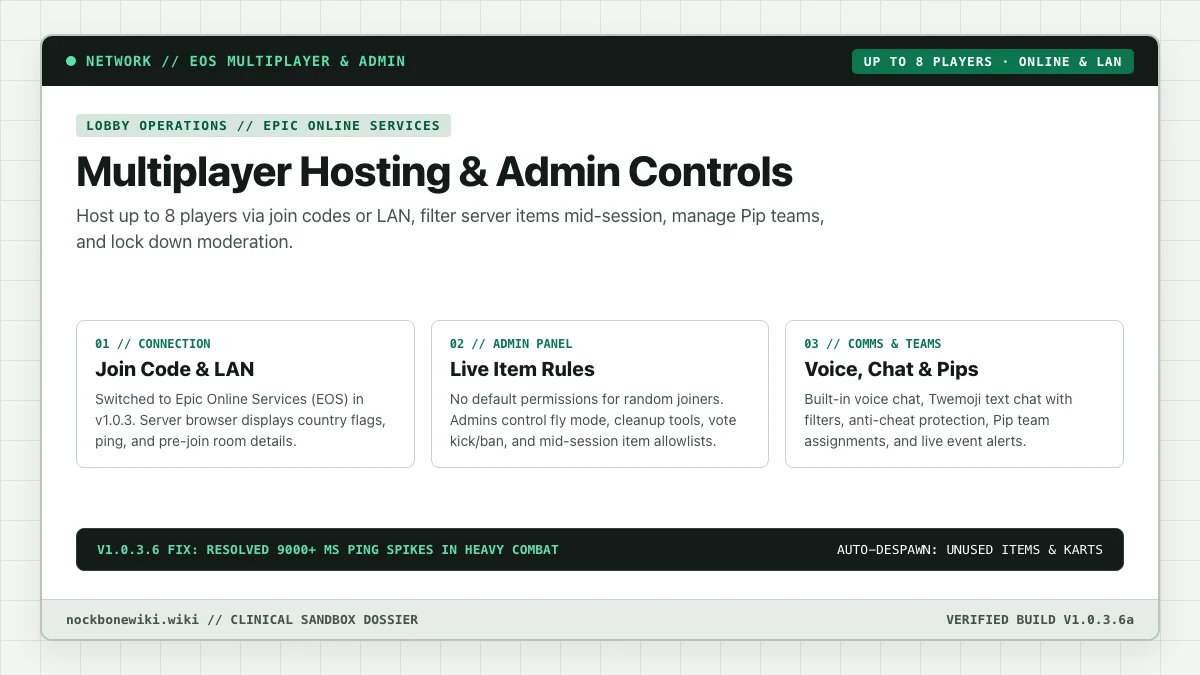
Playing Nockbone V1.0.3.6a (Anemonei's Unity physics sandbox on itch.io) solo is great for testing Pip physics, but its chaos truly shines in Nockbone multiplayer—whether you are running an engineering crew on Lost in Space or staging an eight-player match in Prison Death Row. Since v1.0.3 switched networking to Epic Online Services (EOS) and v1.0.3.6 fixed combat ping spikes, hosting stable Nockbone multiplayer rooms is smoother than ever.
Nockbone Multiplayer Player Cap, EOS & LAN Hosting
Nockbone multiplayer capacity has scaled quickly since launch: the lobby cap rose from 4 players to 6 in v1.0.2 and now supports up to 8 players in current builds. You have two ways to connect:
- Online via Join Code: Powered by Epic Online Services (EOS) (migrated off Unity networking in v1.0.3 and actively tested across patches). Share your lobby join code directly with friends or list the session publicly.
- Local Area Network (LAN): Host Nockbone multiplayer directly over your local network for low-latency sessions on the same router.
Before hosting, make sure every player has installed the exact same V1.0.3.6a build from our Download & Mobile Setup Guide, as version mismatches cause connection errors or missing assets.
Navigating the Nockbone Multiplayer Server Browser & Chat
The Nockbone multiplayer server browser was redesigned across v1.0.3 and v1.0.3.5 to give players clear connection telemetry before loading a map:
- Country Flags & Live Ping: Every listed server shows its host region flag and current ping so you can avoid high-latency rooms.
- Pre-Join Popup: Clicking a server opens a pre-join summary showing session details before you commit to loading.
- Voice Chat & Twemoji Text Chat: Lobbies include integrated voice chat plus text chat with full-color Twemoji support (v1.0.3.6) and built-in content/slur filters (v1.0.3). Remember that pressing
Esccloses text chat cleanly in v1.0.3.6+ without accidentally opening the pause menu. - Live Notifications UI: Added in v1.0.3.5, on-screen notifications immediately alert players when they are handcuffed, injected (including resurrection notifications fixed in v1.0.3), or affected by other interactions.
Nockbone Multiplayer Moderation, Anti-Cheat & Admin Panel
Public physics sandboxes fall apart fast without host guardrails. Nockbone multiplayer includes several layers of moderation directly inside V1.0.3.6a:
| Tool / Safeguard | Introduced | What It Controls |
|---|---|---|
| No Default Permissions | v1.0.3 | Random joiners cannot access privileged commands by default |
| Admin-Only Fly & Cleanup | v1.0.2 / v1.0.3 | Only admins can toggle flight or use Cleaning Tools to wipe props |
| Anti-Cheat | v1.0.3.5 | Anti-cheat systems added in v1.0.3.5 to counter disruptive players |
| Vote Kick & Ban | v1.0.3 | Lets players remove disruptive lobby members democratically |
| Mid-Session Item Bans | v1.0.3.5 / v1.0.3.6 | Admins can toggle allowed or blocked items live without restarting the map |
| Auto-Despawn Cleanup | v1.0.3.6 | Unused items and vehicles automatically despawn over time to protect server FPS |
Using Mid-Session Item Restrictions Effectively
Because the spawn menu includes heavy ordnance like the RPG-7, Air-Strikes, Minigun, C4, and the zombie infection syringe, opening a public Nockbone multiplayer lobby with unrestricted spawns can quickly strain low-end clients or derail roleplay. Use the Admin Panel (updated in v1.0.3.6) to disable explosives, drones, or heavy weapons mid-session whenever you want a focused scenario—such as melee-only brawls in Prison or pure ship-repair shifts on Lost in Space. See the Weapons, Constructs & Gear List to review which high-impact items you may want to restrict.
Organizing Pip Teams in Nockbone Multiplayer
Introduced in v1.0.3.5, Pip Teams let you assign AI ragdolls to Nockbone multiplayer squads so spawned Pips fight alongside your faction instead of attacking indiscriminately. Combine Pip Teams with the Action Menu's "attack everyone" order (v1.0.3.6) for instant squad battles or zombie defense waves, and pair your teammates with medical roles from our Pip Anatomy & Medical Guide using Lazarine, Regenix, and tourniquets to keep frontline players upright.
Fixing 9000ms Ping Spikes & Reducing Desync
Anemonei explicitly notes that because the game is an early testing build, occasional Nockbone multiplayer desyncs and disconnects can still happen. However, the biggest historical lag spike is already solved:
- Upgrade to V1.0.3.6a: Version v1.0.3.6 fixed a severe bug where heavy combat triggered 9000+ ms ping spikes and dropped player, vehicle, and voice chat updates.
- Keep Unused Props Under Control: Let V1.0.3.6a's automatic unused item/vehicle despawn run, and avoid spamming hundreds of overlapping physics props or explosives at once.
- Choose Nearby Region Flags: Pick servers with matching country flags and low ping in the browser, or switch to LAN when playing in the same room.
- Use Respawn Protection Wisely: Every player receives 5 seconds of passive/mortality protection upon respawning (v1.0.3.5), preventing immediate spawn-camping while character models finish syncing in Nockbone multiplayer matches.
Frequently asked questions
How many players can play together in Nockbone multiplayer?
Current Nockbone builds support up to 8 players per session. The cap started at 4, increased to 6 in v1.0.2, and now reaches 8 players.
Can I host Nockbone multiplayer over local LAN without public matchmaking?
Yes. Nockbone supports both LAN play and online sessions hosted via shareable join codes powered by Epic Online Services (EOS).
Can admins ban specific overpowered weapons in Nockbone multiplayer without restarting?
Yes. While per-server allowed/blocked item lists debuted in v1.0.3.5, v1.0.3.6 lets hosts edit allowed items live mid-session from the admin panel.
Why can't normal players fly or use cleaning tools in multiplayer?
For grief prevention, random players have no default admin permissions since v1.0.3. Only admins can fly (v1.0.2) or use cleanup tools (v1.0.3).
Why did my ping spike to 9000ms during gunfights?
Earlier Nockbone builds had a severe networking bug during heavy combat that caused 9000+ ms ping spikes and dropped voice/vehicle updates. Make sure everyone updates to V1.0.3.6a, which includes the v1.0.3.6 fix.
Keep reading
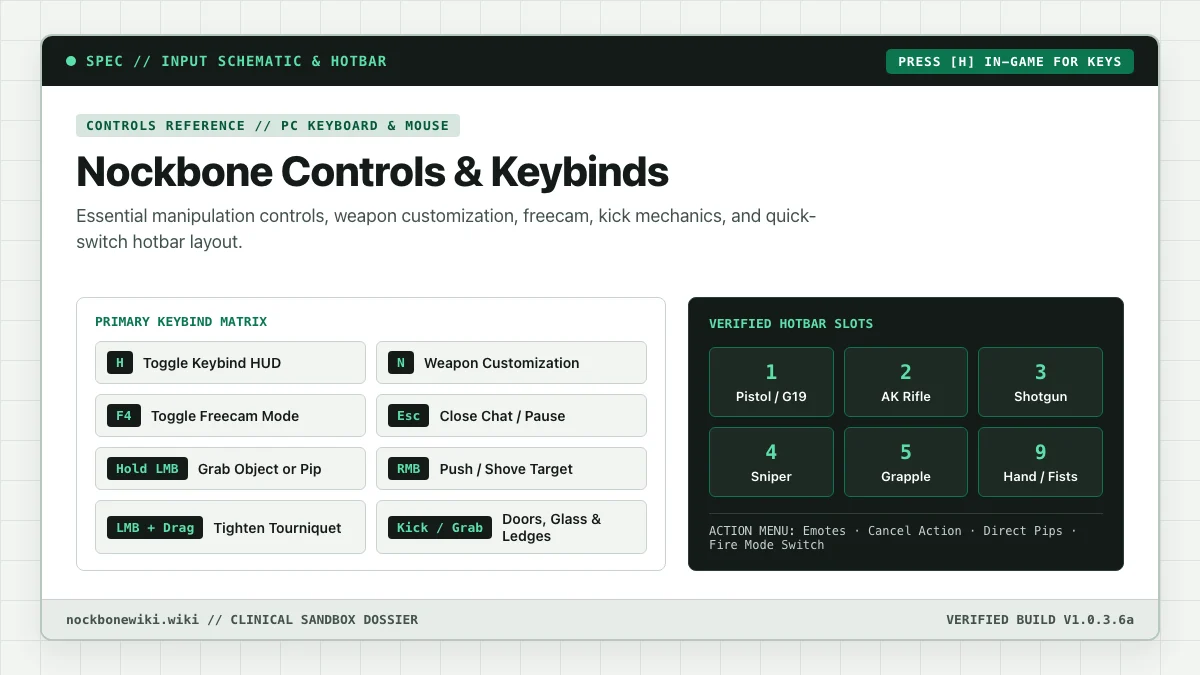
Nockbone Controls & Keybinds Guide: PC Hotbar & Combat
Verified Nockbone controls for V1.0.3.6a: H keybinds, N weapon customization, F4 freecam, hotbar, kicking, and grabs.
Read more →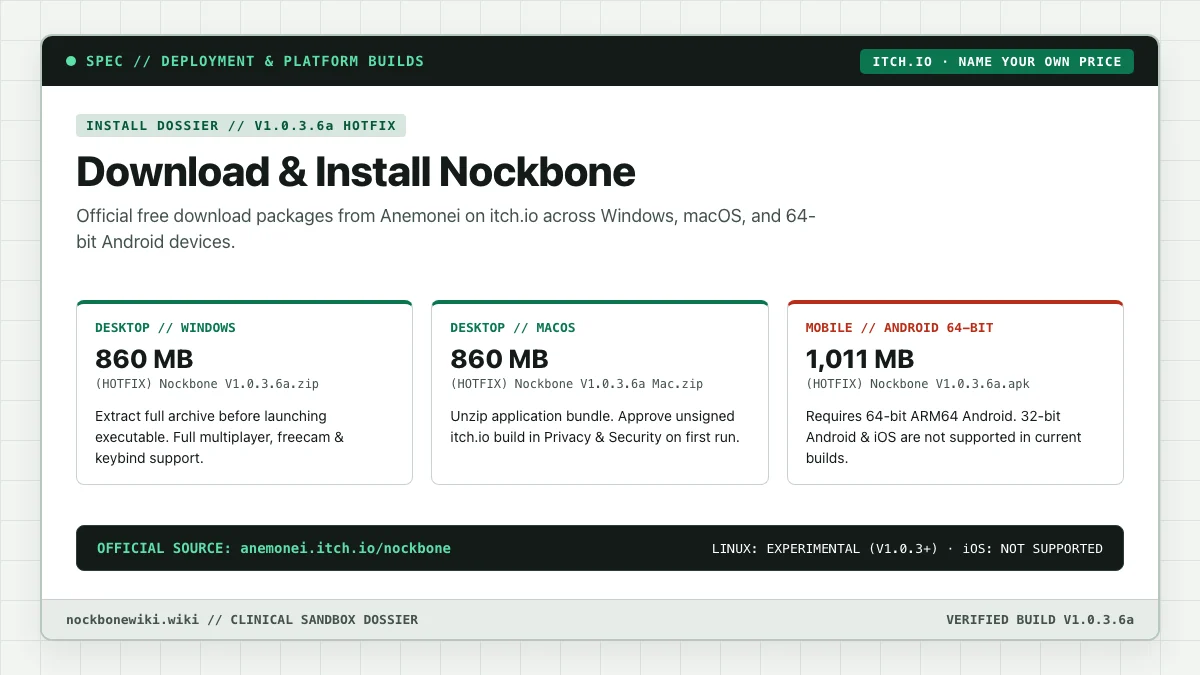
Nockbone Download Guide: PC, Mac & Android APK V1.0.3.6a
Official Nockbone V1.0.3.6a downloads for Windows, macOS, and 64-bit Android APK, plus Honor Pip and liquid FPS fixes.
Read more →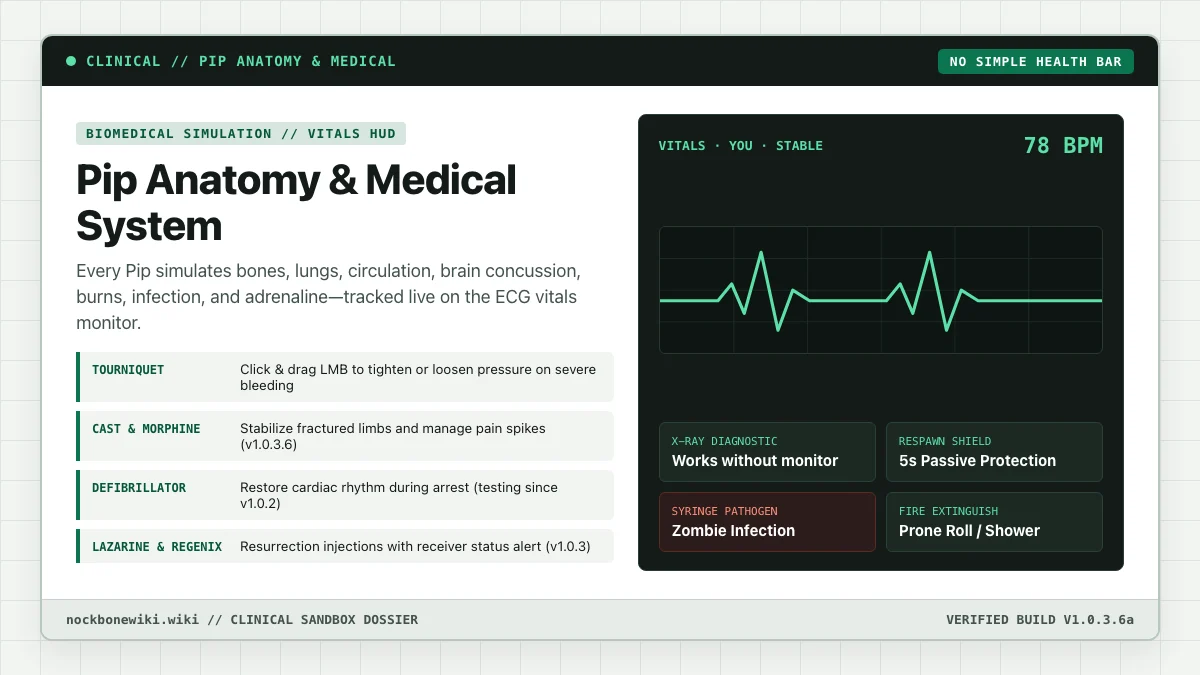
Nockbone Pip Anatomy & Medical Guide: Vitals, Casts & Meds
How Nockbone simulates Pip bones, blood, lungs, ECG vitals, X-ray, tourniquets, casts, morphine, Lazarine, and zombies.
Read more →